Alibaba#
To track a new Alibaba cloud connection in the Kiroframe account, a RAM user required.
Before connecting, ensure that the user has ReadOnly access permission and check the access to the AccessKey pair. If these conditions are not met, go to the Configure Alibaba user section before proceeding to Connect to Kiroframe
Configure Alibaba user#
Before connecting, the user must be configured first. If you already have a RAM user, go to Step 2:
1. (Optional) Follow the official Alibaba user guide to create a new RAM user.
2. Ensure the user has ReadOnly access permission. To add this permission, follow the steps 1-3 of the Method 1 of the official Alibaba user guide.
3. An AccessKey pair is required for the connection. Locate a previously saved pair or create a new one.
Attention
The AccessKey Secret value is hidden shortly after creation. Be sure to copy and store it in a safe place.
Now, your Alibaba cloud connection account is ready for integration with Kiroframe!
Connect to Kiroframe#
Go to Kiroframe → Cloud connections in the ENVIRONMENT section of the menu → click the Add button → select Alibaba.
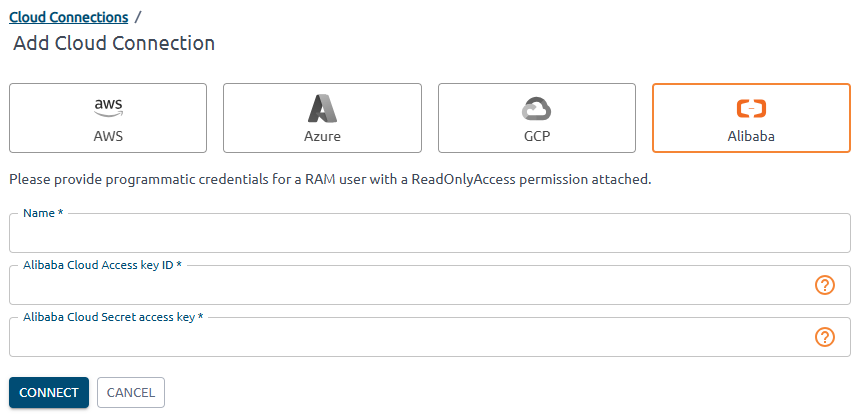
Fill in the fields. Enter AccessKey ID and AccessKey Secret copied from the cloud into Alibaba Cloud Access key ID and Alibaba Cloud Secret access key. Click the Connect button.
Please contact our Support Team at support@hystax.com if you have any questions regarding the described configuration flow.